|
Computer Tips Icon Shortcuts Information at your fingertips! Check the latest listings for your area regularly by making your favorite search an icon on your desktop. Here is how: Open the link to your favorite search in a new window, click on File, click on Send, click on Shortcut to Desktop. Presto! Click on that icon on your desktop once per day and get the latest new listings. For instance, any link on any of these pages can be placed on your desktop:
If you put your mouse over top the state or province and right click your mouse you will see something called "copy shortcut." That is the link! Sample links that you can make:
Stay ahead of the competition with your knowledge of the new listings.
Contact us with what you would like and we will send to your Blackberry by EMail. You open the EMail, click on the link, and then save it to your bookmarks. Presto. Once a day check the latest listings for anything in the commercial real estate industry that you specialize in. It is information at your fingertips. Call 416-831-1620 for assistance. You can also get Haves and Wants by EMail to your computer and/or your Blackberry. One last note for Executive Members, always place your listings in the appropriate business area and business categories. Otherwise it is like spamming on our system. If there are listings that are not applicable to a business area or business category let me know. EMail. We will provide a courtesy note to the member.
|

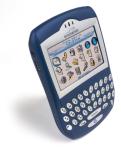 You
can have these links in your Blackberry!
You
can have these links in your Blackberry!